Planning guide
Wedding QR Codes: What to Link, How Big to Print, What to Say
Wedding QR codes for your RSVP, website and guest photos: what each should open, how big to print it, wording to copy, and the free generator trap to avoid.
By the BrideSpark team · 12 min read
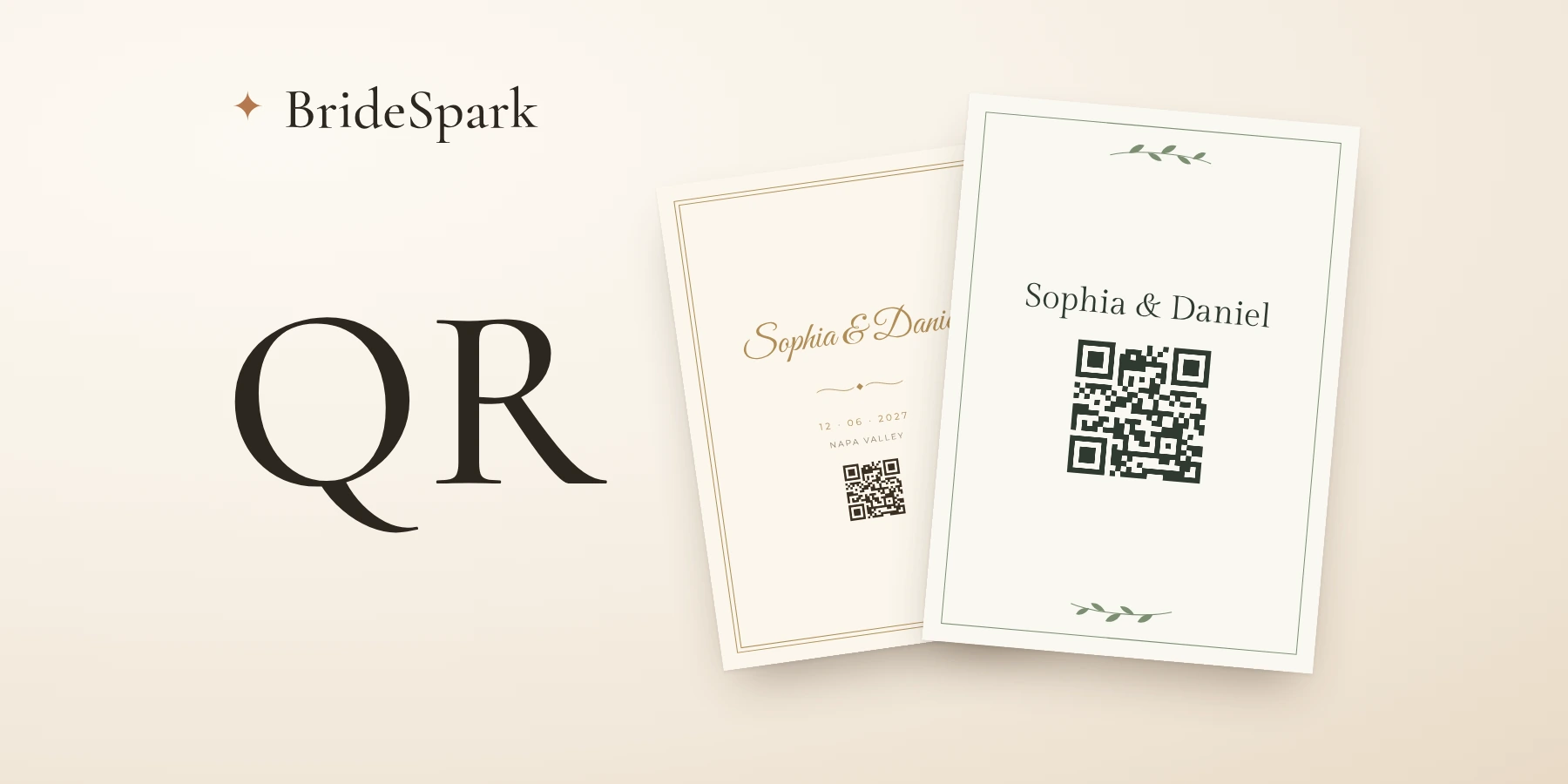
Most weddings need two QR codes. One goes on the save-the-date and the invitation (or a details card) and opens your wedding website, where guests RSVP and find hotels. The other sits on the reception tables and opens a page where guests upload photos. Use static codes that hold your own link, print them about 2.5 cm (1 in) wide, and print the web address underneath.
Guests know what to do with them now. In The Knot's 2026 Newlywed Study, an online survey of 2,800 couples, 59% used QR codes for their wedding, up from 7% in 2021 (as reported in The New York Times in July 2026, republished by The Star). What goes wrong now is duller: a code printed in pale gold, a code that opens a page of twelve links, a "free" code that stops working when a generator's trial runs out.
What each wedding QR code should link to
Every code should open one obvious thing. A page of six links makes your aunt scroll; a code that opens the RSVP gets an answer. The sizes come from the scan-distance arithmetic in the next section.
| Printed on | The code opens | Scanned from | Print it at least | Line to print with it |
|---|---|---|---|---|
| Save-the-date | Your wedding website's home page | In the hand, about 20 cm (8 in) | 2.5 cm (1 in) | "Hotels and travel: [your website]" |
| Invitation or details card | The RSVP on your website | In the hand | 2.5 cm (1 in) | "RSVP by May 1: scan or visit [your website]" |
| RSVP card, if you keep one | The same RSVP page | In the hand | 2.5 cm (1 in) | "Or reply online" |
| Ceremony program | Readings, a translation or the day's schedule | In the hand | 2.5 cm (1 in) | "The readings in full: scan here" |
| Reception table card | Your photo upload page | From a chair, about 40 cm (16 in), in low light | 5 cm (2 in) | "Scan to add your photos to our album" |
| Sign at the bar or guest book | The same photo upload page | About 1 m (3 ft) | 10-13 cm (4-5 in) | "Share your photos with us" |
| Thank-you card | Your photo album | In the hand | 2.5 cm (1 in) | "See the day: scan for our album" |
Two rules hide in that table. Anything you mail months ahead points to your website, never straight to a form or an album, because the website is the one link you can keep editing after the cards are printed. And the photo code goes on the tables, where the phones are. Still choosing an upload page? Our guide to collecting wedding photos from guests compares them with Google Photos and iCloud shared albums.
How big to print a QR code (and the white border it needs)
QR makers work from one rule of thumb: a phone reads a code from about ten times its width. QRStuff, one of the older generators, puts it as "approximately 10:1" for most smartphones and says to drop to "8:1 or less" when the light is poor, the angle is off or the colors are low contrast. Deloitte's QR help uses the same 10:1. So start from where the phone will be.
A card in the hand gets scanned from roughly 20 cm (8 in). At 10:1 that's a 2 cm code, which is Deloitte's recommended minimum for a link of up to 72 characters. We'd go to 2.5 cm (1 in), the minimum in Joy's guide, because wedding stationery adds handicaps of its own: textured paper, tinted ink, a guest with an old phone.
Table cards are where couples under-size. Someone leaning in from their chair is about 40 cm (16 in) away, by candlelight, so at 8:1 the code wants to be 5 cm (2 in). A sign on an easel is read from a meter or more: 10 cm (4 in) at 1 m, nearer 13 cm (5 in) in a dark room. A welcome sign read from 2 m would need a 20 cm (8 in) code, which is another reason to keep the photo code off it.
Long links need bigger codes
The more characters in the link, the more squares in the code, and the smaller each square gets at the same printed size. We ran a few typical links through the open-source qrcode library at the default error-correction level (checked October 2026). A 41-character wedding website address made a grid of 29 by 29 squares. A 111-character Google Forms link made 45 by 45. Printed 2 cm wide, the Forms code's squares are 0.44 mm across, barely above QRStuff's 0.4 mm minimum. Add a logo in the middle, which needs a higher error-correction level, and they shrink to 0.35 mm. If your RSVP lives on a long form link, put your website on the card and link the form from there.
Leave the border blank
DENSO WAVE, the company that invented the QR code, says a code "requires a four-module wide margin at all sides": blank space as wide as four of its little squares. On a 2.5 cm code with a short link, that's 3-4 mm (about 1/8 in) on every side. Tucking the code tight inside a frame or floating it over a watercolor wash eats that margin.
Do wedding QR codes expire? Static vs dynamic
A static QR code contains your link itself. The phone goes straight to your website, with nothing in between, so the code works for as long as the link does.
A dynamic code contains the generator company's short link, which forwards to yours. You can change where it points after printing and count scans, and that forwarding is what the company sells. Uniqode's help center is plain about it: "Dynamic QR Codes created on the free trial will automatically be disabled when the free trial period ends." QR Code Generator's blog says the same of its trial codes, and that static codes "will last as long as the print lasts."
Say you make a "free" code in March and mail the invitations in April. By the time the last envelopes are opened, the trial may be over and every card scans to a dead page or an upgrade screen. Renewing usually brings the codes back, at the price of a subscription until the thank-you cards are out.
So make a static code (plenty of generators do it free with no sign-up; walk away from any that asks for a card) and point it at a link you control. Your wedding website is the best target, because you can change everything on it after printing: the RSVP date, the hotel, the shuttle times. The website does the job of a dynamic code, for nothing.
If you make your stationery in BrideSpark, the save-the-date, invitation and RSVP card designs each have an optional QR code field: paste your website link and the code is drawn into the PDF. It's a static code that holds your link, with no forwarding service in between, and the printable designs are free. Guest photo sharing has its own code and a Make a sign for the tables button.
If the link changes after you've printed
- Your website moves. Keep the old site up with one line pointing to the new address, and put the new link in your next guest email.
- You reset a photo upload link. A "new link" button usually exists to shut out the old link, so check whether yours switches the old code off before you press it. If it does, the table cards need reprinting. Only reset it if the link has leaked.
- You already used a generator's dynamic code. Find out today when the trial or plan ends, then either pay through the wedding or reprint with a static code.
Gold foil, dark cards and logos: what stops a code scanning
Phones read the contrast between dark squares and a light background. DENSO WAVE's own FAQ is blunt: "Basically, please print out your QR Codes with black on a white background." It adds that a red code on white can't be read at all. You can stray from black on white, but not far.
- Dark ink on light paper is fine. Navy, forest green, charcoal or deep brown on white or cream all give strong contrast. Pale gold, blush or light gray on white are the risky ones; test them before you order.
- Light on dark is a gamble. A cream code on a black card is inverted. Phone cameras usually cope, but Deloitte's QR help notes that "a small number of Apps" can't read inverted codes. Put the code in a light box with dark squares inside it. BrideSpark's dark styles, such as Midnight and Noir, do this automatically: the code prints black on a white square.
- No foil on the code. The US printer 4OVER4 answers the question directly: "A QR code printed in a metallic finish, whether regular or raised foil stamping, will not scan reliably," because the metal reflects light. Foil the names and print the code in flat ink.
- Textured or handmade paper. Joy's guide warns that codes under 2.5 cm may not scan "especially on textured paper". Go a size up and test a proof on the real stock.
- A monogram in the middle only works because codes carry spare data for repairing damage. Deloitte suggests the highest error-correction level (H, which survives up to 30% damage) for any code with a logo, and DENSO WAVE notes a higher level makes the code bigger. On a card-sized code we'd skip the monogram.
Wording to print next to each code
Say what the code does, and give the address to type if scanning fails. Swap in your own address and date.
Save-the-date
More lines for the rest of the card are in our save-the-date wording guide.
Invitation or details card
If your website has a password, print it here, or guests who scan meet a locked door. More in our guide to password-protected wedding websites.
RSVP card with a paper option
Deadlines and meal choices are covered in RSVP wording and deadlines.
Ceremony program
A program code is also a quiet way to offer a translation. One bride in the Times piece put a code on her program that gave guests an English translation of the blessings her grandparents recited in Gujarati.
Reception tables
Add "No app, no account needed" only if that's true of your upload page. A shared album in Google Photos or iCloud may ask some guests to sign in before they can add anything.
Thank-you card
What about guests who won't scan?
Some won't. A couple on the WeddingWire forum gave guests three ways to reply (mail the card back, visit the website or scan the code they'd pasted on the RSVP card) and reported afterwards: "out of all my guests I only received about 7 scans." The website link, they wrote, "was waaaaaaay more useful!" Plan for the guest who types, the guest who'd rather not go online at all, and the guest who doesn't trust a code.
Print the address under every code and make it easy to type. Leave off "https://www.", avoid characters that look alike (l and 1, O and 0), and if your website address is long, change it to something short before you print rather than running it through a link shortener that might expire. Then check the printed version letter by letter: one WeddingWire poster's address labels had a typo, and guests couldn't reach the site until her boss noticed.
For grandparents and anyone who'd rather call, keep a paper RSVP card or a phone number on the invitation and type their answers in yourself. The Knot's Esther Lee told the Times that plenty of couples still mail RSVP cards anyway, out of nostalgia.
As for trust, the Federal Trade Commission tells people who see a QR code in an unexpected place to "inspect the URL before you open it." Phone cameras show the link before opening it. Your own website's address passes that check; a generator's short link full of random letters doesn't.
The one address not to print is a photo upload link. A secret upload link is long and random on purpose, because that's what keeps strangers out. Put the code on the tables, and send the link itself in your thank-you message the morning after.
How to test a wedding QR code before you print
Do this with the final file, before you approve the proof.
- Publish your website, then open the code's link in a private browser window where you're not logged in. That's what guests see.
- Print one copy at real size, on the real paper if you can, with the printer set to 100% rather than "fit to page".
- Scan it with an iPhone and an Android phone, including the oldest phone in the family. On an iPhone, point the Camera app at the code and tap the link that appears; on a Google Pixel, check that "Camera scan suggestions" is on in the camera settings.
- Hand the card to someone who hasn't seen it and say nothing. If they hesitate, fix the wording.
- Test the table card from a chair on the far side of the table with the lights down. If it takes more than a second or two, print it bigger.
- Follow the path to the end: the password works, the RSVP finds a test guest (add yourself), a test photo goes through the upload page. Then delete the photo, and type the printed address into a phone exactly as written.
- When the printed batch arrives, scan one card from the box before you stamp anything.
Frequently asked questions
Are QR codes on wedding invitations tacky?
No, they're ordinary now: in The Knot's 2026 Newlywed Study, 59% of couples used QR codes for their wedding. To keep a formal invitation looking formal, put the code on a details card or the RSVP card rather than the invitation itself, and print the website address next to it.
What size should a QR code be on a wedding invitation?
Print it at least 2.5 cm (1 in) wide, with blank paper about four of the code's small squares wide on every side. A phone reads a code from about ten times its width, so 2 cm is the bare minimum for a short link held in the hand. Table cards scanned from a chair in dim light need about 5 cm (2 in).
Do wedding QR codes expire?
A static QR code doesn't expire: it contains your link itself and works as long as that link does. A dynamic code from a generator can stop working when a free trial or paid plan ends, because the company switches off its forwarding link. For printed wedding stationery, use a static code that points at your wedding website.
Can I make a wedding QR code for free?
Yes. Many generators make static codes for free; avoid any that ask for a card or offer a "free trial", which usually means dynamic codes that stop working later. Some wedding planning tools make them too: BrideSpark adds a free static code to its save-the-date, invitation and RSVP card designs, and to its guest photo sign.
Do I still need an RSVP card if I put a QR code on the invitation?
Only if some guests won't reply online. A paper card or a phone number on the invitation covers grandparents and anyone who doesn't scan; type their answers into your online guest list yourself so every reply stays in one place.
Can one QR code do the RSVP, the website and the photos?
It can, if it opens a wedding website with the RSVP and a link to the photos. Two codes work better: one on the mailed stationery that opens the website, and one on the reception tables that opens the photo upload page directly.
Plan it all in one place - free
Checklist, budget, guest list with online RSVPs, seating chart, timeline and your wedding website. Every feature, free for every couple.
Keep planning
All articlesPlanning guide
Bilingual Wedding Website and Invitations: Setup and Wording
Set up a bilingual wedding website and invitations: what needs both languages, which tools handle accents, and copy-ready Spanish, French and Italian wording.
Planning guide
How to Collect Addresses for Wedding Invitations (10 Messages)
How to collect addresses for wedding invitations: when to start, what to ask each household, 10 messages to copy, and rules for kids, APO and overseas guests.
Planning guide
Wedding Day Timeline: 5 Sample Schedules, Minute by Minute
Wedding day timeline samples where the minutes add up: 4 pm with and without a first look, 6 pm, a 1 pm Mass, a micro wedding, and real 2027 sunset times.